
-
Engine Scan Gauge
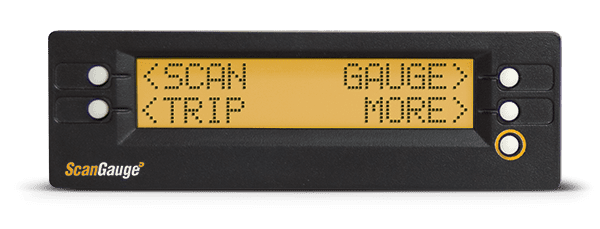
Posted by Archived on September 3, 2017 at 9:57 pmI installed a ScanGauge that I bought from Buddy that will monitor everything from engine parameters, fault codes, fuel program and other data. It runs about 150 buck and plugs in to your data port. If you want something other than the standard gauges and the ability to monitor various engine data, check it out.
ScanGaugeHere’s a picture of mine mounted near the shift selector. Mine is set to monitor boost, water temp, tranny temp and oil pressure in a digital format. There are many data options, I chose these to compare to dash gauges.

Tom replied 9 years, 1 month ago 18 Members · 27 Replies -
27 Replies
-

Tom,would this replace as well as do the same thing as the pro driver display? Also does it keep track and also act as an odometer? Thank you …Victor
-
Not sure about the odometer Victor, you can call them, their phone support is excellent.
-
Victor, sent you an email, these are some of the tracked featuresDigital Gauge Name BST Boost MPG
KPG
MPL
LHK
KPLMiles Per Gallon
Kilometers Per Gallon
Miles Per Liter
Liters Per 100Km
Kilometers Per LiterMPH
KPHMiles Per Hour
Kilometers Per HourRPM Revolutions Per Minute TPS Throttle Position Sensor FWT
CWTWater Temperature AVG Average Fuel Economy TFC Trip Fuel Cost CPM Cost Per Mile VLT Battery Voltage FIA
CIAIntake Air Temperature TFT Transmission Fluid Temperature GPH
LPHGallons Per Hour
Liters Per HourOIL Oil Pressure LOD Engine Loading HP Horsepower -
If you have either a 6 pin or 9 pin diagnostic port, you should be able to have at least limited info available to the unit. Look at your connector (if you have one) and check out the link & FAQ’s.
-
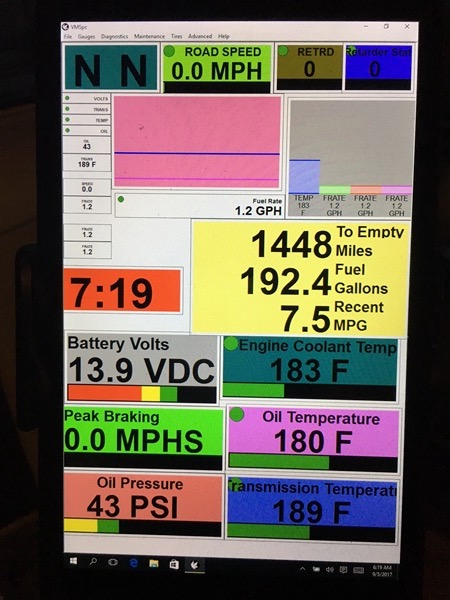
My Silverleaf system monitors all those systems as well, and I use a Microsoft 8″ tablet to view it. I’ll take a pic of it when I get back to the bus.
-
Tom I have had one for 3 years now and love it. I like having another way a second option to see what’s going on.
-
Here’s the pic (sideways) …
It has more functions than I need, but nice to have, especially since it came with the bus!
-
Tim, Tim, Tim, how many times have I told you to hold your IPhone/IPad horizontal when taking pics.:)
-
Tried posting to old post using Chrome, Firefox and Safari…none would allow me to reply to old post, soooo.
Just got back from Alaska cruise and reading old posts. Liked the original post from Tom on this gauge and decided to buy one. Did a little searching and found I could order one from Advance Auto. Than did a little more searching and found a coupon for $50 off with free shipping. I did have to pay tax but got the new unit for $116. Anyone interested may want to try this and save a few $.
-

Well that is interesting. After making what I thought would be a new post based on what I was seeing I now see that I did respond to the original post.
Sorry for the confusion.
-
I have a question for Tom or anyone else who has the scan gauge on this thread.
I have one and do like it but does everyone else have to scroll through what gauges they want to display everytime they turn the engine on? Its like the unit has a default setting and its not what I like to look at.
Thanks!
-
Patrick,
Call them, very helpful. They had me set mine up where it has to see at least 1 rpm or it goes to sleep. Before that, it stayed on all the time because the plug is always hot. Now it goes to sleep as soon as it see’s no rpm.
I had trouble getting mine to save the settings as well, operator error, I think I had to have the engine running in order to save them.
-
JD why did you post that, now Tom will want me to refund him $500 🙁
Log in to reply.