
-
Resynching Trekmate Security System
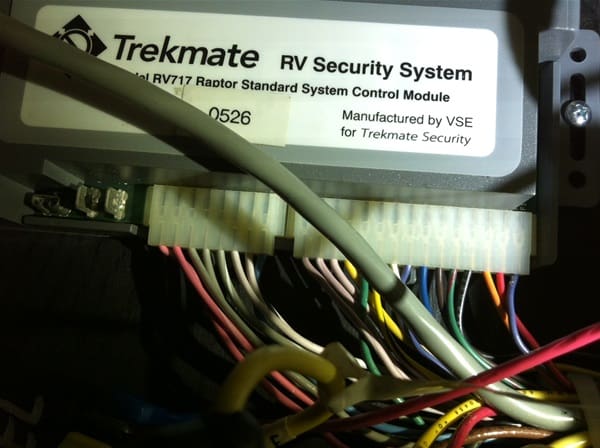
We had not used our coach for several weeks and our remotes would no longer disarm the security system (Trekmate 717). I used the key to enter the coach and the momentary switch below the dash to silence the alarm and put it into valet mode (ignition on, hold momentary switch until beep). On our Marathon, the Trekmate control unit is behind the mirrors just above the entry steps.
I figured somehow the base unit had lost track of the rolling codes of the remotes. Unfortunately, the company is out of business and I did not have the user manual for the security system. But the internet came to the rescue and I did find someone explaining how to enroll remotes. It worked great, the base system had indeed lost track of our remotes. Everything is working great again.
Here are the steps in case someone else encounters this situation in the future:
Turn ignition on
There is a Mode Switch which is a mini toggle
switch usually located under the dash. It has three positions. The center
position which is where it normally stays, then a locked position where if you
push or pull the switch to that position, it stays there, then a momentary position where you have to hold the switch or
else it will spring back.Move & hold switch to momentary position
While holding the mode switch, turn the
ignition off. You will hear two beeps, followed by a single beep. DO NOT
RELEASE THE SWITCH YET!Continue to hold the switch for about 3
seconds. You will hear 8 rapid beeps, and then after three more seconds,
another series of 8 rapid beeps. Release the switch after the SECOND set of 8
rapid beeps. The status LED will blink rapidly.You are now in programming mode!!
Now press button one on the remote, and hold
it until you hear 3 rapid beeps, which confirms the authorization of a
previously unkown remote. If instead you hear two sets of 3 rapid beeps, it
means you have re-authorized an already “known” remote.
Trekimate can identify and track up to four different remotes. If you attempt
to authorize a fifth, it will take the place of and cause the brain to forget
the oldest remote that is known to the systemTo exit programming mode, just turn the
iginition on again. You are done!!Trekmate RV Security Systems Models 717,737,737PG

Log in to reply.