
-
Liberty heat
Posted by Cody on November 14, 2016 at 6:19 pmso I am confused on what heat to use. I have the cruise central airs that provide reverse heat pumps and breakers in my Liberty panel for toe kick heaters. But how does the Webasto work ? I have started it and ran it with the bedroom manual and kitchen thermostats. I am just confused on why the hot water is heated by a water heater with antifreeze lines attached to it. Why can’t I have continuous hot water. Also why did Liberty exhaust the Webasto straight down by the blow by and not out the back ????
Darrell replied 9 years, 11 months ago 11 Members · 13 Replies -
13 Replies
-

The year of your Liberty would be very helpful for folks to be more specific, so here’s a basic answer.
You have 3 coach heat sources, kick heaters (cadet), heat pumps and Webasto. The Webasto sends hot coolant to the heat exchangers, hot water heater and the engine for pre heat. The Webasto is diesel fired and uses the engine coolant as the heat source. The heat pumps in your cruiseairs are good down to about 40 degree’s, then will shut down. The kick heaters like the heat pumps are electric and a good source for heat assuming you have shore power or running the gen. If you’re dry camping and not running the gen, the Webasto being 12v is your only option.
You have various methods to operate and control the heat sources, SMX controls and thermostats, but the year of your conversion would be needed for more specific info from folks with like years.
-
As far as the water heater it is a marine style water heater. You have a 120v heat element that will heat your water as long as you have a good power source. When running the webasto heater, as long as the coolant valves are open, you will have hot water from that source of heat. You can verify that the heat loop is open by running the webasto and then once heated up touch the coolant lines above the water heater and verify that they are hot…..
-
This past weekend my SMX controls would not even display; is this due to the outside temp? It wasn’t 40
-
Chuck, if your controls are not displaying you are not getting power to them.
On your coach make sure all 4 circuit breakers in the electrical panel are on and the green indicator light next to the switch is lit. If it is not lit you are not getting power to that panel.
Once you have power indicated at the panel, use your Crestron, go to the mechanical page and turn on the Cruiseairs. At that point you should have power to the SMX panels. You can then turn them on at the SMX panel, or as I do, I leave the SMX panel “on” and set, and use the Crestron to turn on AC units. Others leave the Crestron on, and use the SMX panels to operate the Cruiseairs.
-
Yes Jon I do have power at the power box on all four so I will try to turn them on at the Crestron controls; will let you know.
Thank you -
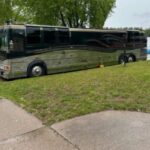
I don’t want to make this any more confusing than it already might be for someone who doesn’t fully understand the heating and cooling systems (with emphasis on “systems” being plural) on a Liberty coach, there is a fourth way to heat a Liberty Prevost and that is to start up the main engine (the Detroit Diesel in back). It will not only provide heat to the coach through the “OTR” (Over The Road Air, once the coolant warms up, aka “bus air”), it will also heat the domestic hot water through the heat exchanger in the Liberty installed water heater (if the correct valves are “on”).
Because of unique circumstances surrounding the purchase of our coach, we received instructions on how to operate the coach from Jeff Rowe at his ETLC shop. He was very thorough, answered all my questions … but it was like drinking information from the proverbial fire hose). It took a number of phone calls back to Jeff, experimenting on my own, reading the Liberty manual a number of times, and reading a number of threads on thsi forum before I completely understood the options available to heat and cool the coach … and how to operate them!
As Jon said above, due to the Crestron system on the Liberty Elegant Lady coaches (i.e. 24volt coaches) there are three “things” that have to be “on” for the Cruise-Airs to work … circuit breaker on the electrical panel must be “ON“, the Cruise-Air icon on the Creston screen must indicate “ON“, and finally the SMX panel must be in the “ON“.
Once you understand how all these things work, the coach becomes easier to operate.
-
Jon,
Need a plan “B” We have power on the electrical panel but with the Crestron unit on dash the icons for the cruise air units will not respond to give me a “on” or “off” . When icons are depressed I get the “ping” sound but that is it.
Any suggestions?Dick can you chime in here as well?
-
Chuck
Turn on/off the power to the Crestron if that did not work to reactivate the Crestron computer you have a dead computer. Call Troy he will walk through the testing of the system. Good luck -
Every once in a while we have a similar issue. On our Marathon, we have to reset the computer by shutting off shore power, shut off inverters, and shut off house (12 volt) power. Sometimes shutting off just house power will do the trick as well. Good luck!
-
Thanks everyone and when I get back to the coach I will call Troy for instructions. Will let you know how it comes out.
-
Chuck: Hish is giving you very good advice. Actually more advice I could give you. I’ve haven’t experienced that problem … yet. Good luck and keep us posted.
-
Thanks again everyone. Called Troy and he walked me thru resetting Dash Crestron by going to the set up, interface; setting needed to be on 3 and it was on 8. No explanation as to how it was set at 8??
All good to go !
Log in to reply.