
-
Best Camera systems
Posted by George on August 31, 2019 at 9:48 pmLooking for suggestions for camera system.
Some seem pricey for a basic camera and monitor.
What are you using today?
What is the things you like and what is missing from being a greagt system?Dick replied 7 years, 2 months ago 9 Members · 11 Replies -
11 Replies
-

If you check carefully, despite of all the hype, I do believe that all sellers will offer you something that is Made in China.
So, it comes down to specifications and price.
I do strongly believe that all of the “Brand” names sell you cameras systems that are made in China, totally over-priced and sold by others under “No Name” labels.
They do sell you a “China” product, relabeled and at 2-3 times the original cost.
Anyways, your choice comes down to what you want, how much you are willing to spend and how much time you are willing to invest into research.
I am willing to spend the money to get the best resolution. Along the way, I did learn that there is a specification that I had not hear about before.
It is called AHD and that stands for Analog High Definition.
The drawback is that your cameras and the monitor must support AHD. That adds to the cost.
My new system that I posted about in another thread is just HD. However, since I am viewing my cameras “always on” on monitors close to my direct line of view, the loss of resolution does not really have much of an impact.
But, to return to your question, it is really up to you to do the research and decide what meets your requirements.
Do not rely on what others have done and what they like. I guess, that includes me, too.
I did probably spent several hours of accumulated time researching cameras and monitors on eBay and Amazon before I came to a decision.
By the way, do not be afraid of ordering from China. All of my new components, i.e. cameras, monitors and cables did come from China and all was received as advertised in a very reasonable time.
Most Chinese sellers will send through China Post and that means delivery by USPS. Do not worry about Customs and Duties. USPS delivers straight to your door. No questions asked. Some will ship via DHL. Same end result.
Anyways. As always, this is my 3 cents worth.
Cheers,
Ronald
-

http://www.rvcams.com can set you up with a great backup camera setup and it will work with your existing wiring. After going for YEARS with no camera I gave them a call just for grins and they set me up, sent the wiring diagram and using the original wiring from my “88” I have a full color backup camera. Very happy!
-
Over the years I can say the biggest problem with rear camera monitors has little to do with resolution and a substantial amount associated with where and how the monitor is placed.
There are two problems associated with that on coaches I have owned. The first is obvious and if the position of the sun is just right, the sunlight on the monitor washes out the display. Putting a shade or some type of shield preventing the sun from shining on the monitor helps, such as positioning it where the sun cannot hit it.
The second problem only becomes real evident when using the coach, not sitting in a garage or inside facility playing with placement options. When I am on the road in the coach if the monitor isn’t positioned to prevent reflections the bright sunlight on something reflects off the monitor and back to my eyes. Every coach I have had has this problem and I can minimize it to an extent. My last two coaches reflected my shirt back to me so I learned driving with a light colored shirt will wash out my monitor, but a dark colored shirt will have less of an impact. Certain Liberty owners of vintages similar to mine will know exactly what I am talking about.
So the bottom line is if you are intending to replace a rear camera monitor make sure part of the reason is not monitor placement and angle because even a high resolution image is going to be compromised by sunlight and reflections.
-
Times 2 on RV Cams which is located in Baton Rouge, LA.
They can offer economical components to the best money can buy. You make your choices.
Outstanding tech support and can explain the various systems, one camera on up to multi-cameras.
Mine is a 10 years old economical single camera system using my existing wiring. Still working fine and much better than the one it replaced. Use it all the time I am motoring to make sure I have passed a vehicle before moving back over.
-
If you are asking me, I purchased Tim’s less expensive suggestion at the time some years ago.
Call him and check out what they offer now. Tim knows the the Ins and outs about camera systems,
RV Cams, Tim Lazaroe, (225) 261-7815
-
I purchased a camera and monitor from rvcams earlier this year to replace an original Sony camera and a black and white monitor. Speaking with the guy’s at rvcams was important and helped with the decision. I had to run new cable front to back, and fellow PC member Jeff McCreary, made a custom mount for the camera.
i plan to add side mounted cameras which rvcams also carries.
Good luck and PM me if you want to discuss what I purchased.
Ron
-
Ron: How and where are you going to mount those side cams? Will you have to pull wires?
-
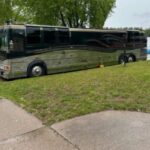
I have thought about putting them under the mirrors but if not there just below the first windows on each side. Cable will need to be pulled but the connection distance is short to the back of the monitor.
R
-
Although, people have at times called me a lot worse …
Since I did have the Voyager camera system with side view cameras, it was a simple matter of removing the inside door trim on both sides, the dashboard cover and numerous other trim pieces and use the old wires to pull new wires.
Removing the trim pieces sounds a lot worse than it is. All you need to do is to find all the screws, remove them and lift out the pieces.
Pulling new wires is somewhat more interesting because you will find out that the converters were very inventive in how they ran there wires!
In some areas, you need long and slim fingers to get at what you need to get at.
In the end, it is not so bad. A couple of hours of your time will do just dine.
The biggest ticket item here is TIME. Time that you may have to pay somebody to do all this for you.
So, consider your DIY talents and do it yourself!
It took me about half a day to remove the door trim and the dashboard cover, remove/pull old wires and at the same time pull the new ones.
Installing the new side view cameras was easy.
Here are the photos again of my incomplete installation (will be adding additional cameras).
See my original post, too.
Cheers,
Ronald
Log in to reply.