
-
backup/rear-view camera
Posted by Kirby on April 6, 2017 at 6:06 pmOur old coach has a black & white camera and monitor and I’d like to update it with a color camera and monitor. The camera is in one of those bulging out housings molded into the rear cap. A friend of mine who’s into electronics was not optimistic that a new camera would be compatible with the old wiring. Has anyone with an older coach updated their camera system?
Kirby
Reagan replied 9 years, 6 months ago 11 Members · 18 Replies -
18 Replies
-

Fixing to do the same on my old coach. Have the original system (Intech) and sent it in a few years ago for repair (quit) and now won’t hold verticle, keeps tumbling. Wack a knob on front and quits tumbling for a while, then starts again. Called them and they said new ones won’t fit into custom housing but cables will hook up and work with new color moniters. Have to replace back camera also. What kind do you have? Wonder about the wireless but cabling is in place and who knows where.
-
I’d guess the signal from the camera to the display is just composite video using standard RCA cables. It would be the same cable for black and white or color. Most cameras support composite video output. So there should be no problem upgrading the camera and/or the display.
Either check the existing camera and see what it outputs, or check the monitor and see what type signal it gets. Most likely just a standard yellow RCA connector for video.
Don’t buy one of the cameras with infrared LEDs for night illumination. At night the LEDs will reflect off the glass in the camera enclosure and make the camera useless. Ask me how I know…
Gerald
-
The camera used by most conversions is the pan and tilt by total vision…This is a good camera and we have used it on many updates….you do have to run new harness from front to rear…..
-
Jeff, where would cabling run. Think that would be a nightmare on some. Haven’t pulled to check mine but do have a 3″ wood Channel in top of ceiling from front to back going unto fluorescent lights strung along top.
-
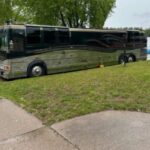
Recently replaced our camera with a Total Vision product and as usual Jeff and his team did a wonderful job with the installation and the Camera works great.
-

Chuck: You must be doubly pleased with the new camera and install by ETLC!
Do you have the tilt and pan? Do you use it? Is it that big of a deal to make the cost and work of the install worthwhile?
-
I installed a Total Vision system on my previous Liberty. Running the wires was tough, but doable. I just took patience and some ingenuity. Not for a novice. I likely would have Jeff do the next one.
(Why don’t convertor think of the future, and supply an accessible channel overhead and in the belly?)
The results were night and day. The picture quality is fantastic. While I seldom use the pan/tilt feature, it is nice to have every now and then.
On the subject of the company, he is great and very helpful to the end user. When I bought my current Royale, Total Vision was happy to service and update the unit quickly and at reasonable cost. Almost anyone could remove the camera unit and send it in.
-
Kirby I blew a CB on mine the other day I guess mine time is coming too. I found this place on line I’m not sure if they are any good but worth a look.
http://www.rvcams.com/p/SSM-721AMR-KIT.html
Fred
-
Dick,
I find the improvement considerable and the color makes a big difference. When towing we have bikes and kayaks so the pan ability and the up and down system is helpful just to keep and close lookout.
Jeff wired ours to the crestron screen and I have seen one wired to the alpine screen; either works well.
-
Rod Thomas of Total Vision is very helpful. Contact # 520-623-0790
-
Interesting… when I looked on the forum entry page, it shows a post at 12:31:55 by Jon. But when I go to the actual topic, his post is not there. Subliminal messaging?
-
???????????
It’s the computer gremlins messing with me again.
I did not post anything on this thread but I did replace a monitor on a previous coach and I dealt with RV Cams. Very good folks to deal with, but I am sure that monitor and technology is cave man stuff compared to what is now available.
-
Our kids bought us the large Garmin RV unit with an optional wireless camera. The Garmin sits on the dash and the wireless camera was swapped out with the old cam, using only the 12v power wires. The wireless camera’s RF transmitter sends the signal to the Garmin on the dash. The screen is pretty big and the driver (or co-pilot) can use the Garmin in the “map mode”, rear view camera mode, or toggle back and forth. The quality of the image is pretty good and you can install a second camera if you want. We can dig out the model number if you can’t find it on line. It was a pretty simple install.
-
I have had the best rear view camera / monitor combination on my first coach. It was a black and white monitor and it was a screen about 7 or 8 inches square, and its original use was for garbage trucks. No camera / monitor combination since has provided such a sharp picture that did not wash out in bright sunlight.
The last coach monitor was impossible to view when it was bright out until I put a plastic “awning” around it to shield it from light. Not perfect, but better than nothing. My current coach uses the Crestron type touch screen unit as a Crestron touch screen control or a rear camera monitor. It is lousy.
I had occasion to drive a coach with an ipad type screen and an additional rear camera display. They were better than what I have, but neither had a clear sharp picture like my original black and white one.
If I ever have the opportunity to switch displays I will sample as many monitors as possible before selecting one. Then I will make sure that its mounting is at an angle that will not reflect anything that is a light color. As mine exists right now if I wear a light colored shirt while driving it is reflected in the display and limits the quality of the rear view. If I wear a darker shirt, and am driving south when the sun hits the darker colored shirt and I become a solar panel absorbing heat from the sun. Nobody putting our buses together has ever given serious thought to this issue because they keep cranking out coaches with far from perfect rear view camera displays and in most cases all it would take to siginificantly improve the quality would be to change a mounting angle or relocate it to a spot where it is shielded from ambient light.
-
One modification I made was to stop using the stereo head unit display for rearview camera display. I personally find too much multitasking on one screen frustrating. I purchased a very good quality 7″ display and mounted it on the driver side A-pillar. I also mounted my 7″ Garmin RV GPS just below it on the same pillar. In one glance I can see my LH sideview mirror, rear camera, and GPS. I was inspired to to this by noting where commercial transit busses mount their various displays.
I did all of this with RAM mounts, which I find to be the most versatile and stable mounts for mobile electronics.
Log in to reply.