
-
Backup Camera
Posted by Dan on May 25, 2013 at 7:07 pmBackup camera screen goes all white when putting trans. in reverse and works great when in forward gears. Any Ideas?
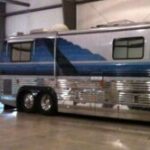
99 vogue/prevost
Archived replied 12 years, 1 month ago 5 Members · 9 Replies -
9 Replies
-
Which one do you have Dan and is it a combo unit with radio, CD player etc?
-

It is a Sony SSM 721-AMR. Not sure if its tied in with anything else. Thanks
-
Dan. I know nothing about back up cameras or Vogue conversions, but if it works OK except when the bus is in reverse I think you can conclude the monitor and camera are both OK.
What is unique about reverse is if Vogue did like other converters and powered the camera and monitor when the coach is in reverse the problem lies with the switching of power when in reverse. Do you back up lights work? Trying to figure where the converter picked up the signal to send power to the camera and maybe there is a relay that closes the circuit for power when reverse is selected and the switching source for the relay might be the back up light circuit.
Good question for Parliament, maybe Ben or Rick.
-
camera and screen get power when in reverse but screen is all white but has power. I will call Ben or Rick and thanks for info.
-
My quess would be that it is not hook up to the reverse wire for a signal. Check the back of the monitor that all wires are connected. Back up wire should be labelled on the monitor. May have come loose.
-
I am slipping this question in on this thread before I clutter up the forum with a new thread.
I have a 97 Royale with an Intec monitor and I belive matching brand camera. I installed a new style Pioneer touch screen head unit 3 years ago and removed the old style monitor but then I put the bus in storage until recently and now I need to job my memory on what is needed to get the original camera to work with the new deck. It is not plug and play. I belive I remember learning that an adapter is required somehow that needs to go inline in the back where the signal orginates from the camera.
Can anyone offer any input to get me off in the right direction ? Does the adapter come from Intec ?
-
I spoke to Glen at Royale Phoenix and said I thought I needed the adapter because of the camera being black and white and the new LCD monitor being color. He said that wouldn’t be the problem even though I was told a couple years ago that was the issue. He said it was merly a matter of adapting it to fit the new RCA jacks on the dash side of things.
I will wait for confirmation beore hacking into things.
If an administrator see’s this, I tried to Edit my post but got a message saing “You are trying to access an area which is not yours.”
-
I would start by talking to Tim of RV Cams. He is an advertiser and really understands the various cameras and monitors.
-
Jeff,
If you have capitol letters in your username or password that was not there when you signed up, the system will think your not you. Don’t ask me why, it just sometimes happens. So cut and paste your original info from when you signed on and see if that fixes it.
Log in to reply.