
Prevost Community Forums

Find answers, ask questions, and connect with our
Prevost Community around the world.

  • Another Digital Gauge Option

    Posted by Roy on July 4, 2019 at 6:18 pm

    We drive in the Rockies Mountains. I have wanted to display the “selected gear” that I am in and the “current gear” that I am in. I want to know what gear I went up the mountain in so I can be sure to go down the mountain in the same gear. I bought Ray Davis’s RV Dash. It is a very nice user friendly software product. It does show the “selected” and “current” gear, but they are in small type at the bottom of the page and size is not adjustable.

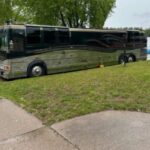
    While sitting on ETLC lot visiting with PC member Mike & Karen Davis ( and Lucky Dog ), Mike told me about another app called BlueFire for motorhomes by bluefire-llc.com. I down loaded the app and ordered their $160 Bluetooth transmitter. It is more configurable and harder to learn, so it takes more setup time, but it does have adjustable “Selected and Current Gear”. We are headed to the mountains, using it for the first time. I like it in Kansas, we will see about the mountains. I am only using 3 gauges and the Select and Current Gear information. Since I took the photograph, I have repositioned the coolant gauge to the top and the gear information to the bottom of the iPad.

    DON replied 7 years, 3 months ago 5 Members · 5 Replies
  • 5 Replies
  • Archived

    Member
    July 4, 2019 at 7:51 pm

    Hey Roy I went to their website and I like what I see. I can see it might be slightly more difficult than RV dash but I’m with you, it looks more customized-able. Please keep us posted if it works the way you want. Thanks to you and Mike for putting this out there.

  • Archived

    Member
    July 6, 2019 at 5:45 pm

    Hey Roy I just ordered the 6 pin adapter and already down loaded the APP on my i-pad and ordered a holder for i-pad . I have a hard time seeing my shifter selection , I already put on gauge selection Speed- RPM’s- Oil Pressure- coolant temp- Boost and shifter selection

  • Bill

    Member
    July 7, 2019 at 11:41 am

    Mike, your are right, it is totally configurable and there is a short learning curve to figure that out. Yesterday we came up I-70 though Eisenhower Tunnel and down the mountain. I found the gauges very helpful on both sides of the mountain.

  • DON

    Member
    July 7, 2019 at 5:20 pm

    You’re right, Roy, the gauges are able to be totally manipulated…the number of parameters and settings takes a little patience to learn, but it’s worth it, I think.

    Still playing around with my layout, but this is replacing a pretty comprehensive VMSpc layout that I’ve had for a good number of years. Here’s a pic of my current layout. Again, this layout is not for everyone…my analog dash gauges are a little wonky when compared to DDEC/VMSpc or BlueFire data, so I pretty much ignore the dash (with the exception of the air gauges) and make the pad part of my normal scan.

    The major hang-up for me that I see to date is that there is only one resettable trip odometer. VMSpc allows as many as you wish, and I had several running simultaneously – season, trip, leg, and since last service. As I said, I’m still playing around with it, so maybe There is a work-around that I’m not seeing right now.

    Overall, it’s a keeper I think…

  • Dick

    Member
    July 8, 2019 at 12:30 pm

    I once took a class provided by one of the fathers of the J1939 protocol and he said to never put one of those wireless transmitters on your CAN bus. J1939 was never designed with cyber security in mind. I know it may be a long shot, but if your bus starts acting funny, I’d yank that thing out right away.

Log in to reply.