
-
Photo Upload for Mobile Devices – How To
You can now upload and insert multiple or single photo’s in your posts. Each of you have your own photo file with pictures that you have used before on the site.
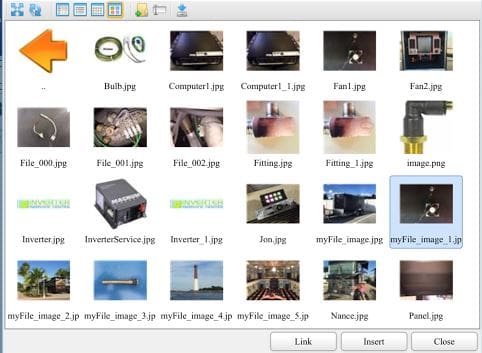
As you upload new photo’s, the file extension will have a name that starts with myFile. No other file extension should be used.

Step 1 – Click on the big blue box if your adding new photo’s.

Step 2 – Choose File for your photo, when it loads, click Submit. Do this for each photo, when done close.

Step 3 – When your ready to insert the picture(s) into your post, click on the little File Folder box.

Step 4 – Highlight the photo you want to use then click Insert. Do this for as many as you want.
Once you do it, it’s easy and simple.
Sorry, there were no replies found.
Log in to reply.